20,000 Live TV Channels
Live channels across US television, international programming, sports, news, movies and family entertainment.
Live TV, sports, movies and series
Yeah IPTV is a streaming subscription with 20,000 live TV channels, 40,000 movies and TV shows on demand, and a real-time TV guide. Watch on Android, iOS, PC and Smart TV, with plans from $15 USD.
Features
Live channels, on-demand viewing and a real-time guide in one subscription, with support whenever you need it.
Live channels across US television, international programming, sports, news, movies and family entertainment.
Movies and TV shows on demand, so you can watch when it suits you instead of waiting for a schedule.
Channels come in 4K, UHD, FHD and HD. Your device, player and internet speed also affect the picture you see.
See what is on now and next across channels in compatible players, and plan your viewing from the guide.
Watch on Android devices including Fire TV, on iPhone and iPad, on computers and on Smart TVs with a compatible player.
Reach the Yeah IPTV support team at any hour on WhatsApp or Telegram for orders, activation and setup help.
Pricing
Choose 1 to 5 connections, then a plan length from 1 to 12 months. Every plan includes all channels, VOD, EPG and 24/7 support.
A connection is one screen streaming at a time.
$15USD
For 1 month
$29USD
For 3 months, about $9.67 a month
$49USD
For 6 months, about $8.17 a month
Long-term option
$75USD
For 12 months, about $6.25 a month
$25USD
For 1 month
$39USD
For 3 months, about $13 a month
$59USD
For 6 months, about $9.83 a month
Long-term option
$99USD
For 12 months, about $8.25 a month
$35USD
For 1 month
$49USD
For 3 months, about $16.33 a month
$69USD
For 6 months, about $11.50 a month
Long-term option
$140USD
For 12 months, about $11.67 a month
$44USD
For 1 month
$65USD
For 3 months, about $21.67 a month
$120USD
For 6 months, about $20 a month
Long-term option
$150USD
For 12 months, about $12.50 a month
$55USD
For 1 month
$85USD
For 3 months, about $28.33 a month
$140USD
For 6 months, about $23.33 a month
Long-term option
$195USD
For 12 months, about $16.25 a month
The Yeah IPTV App
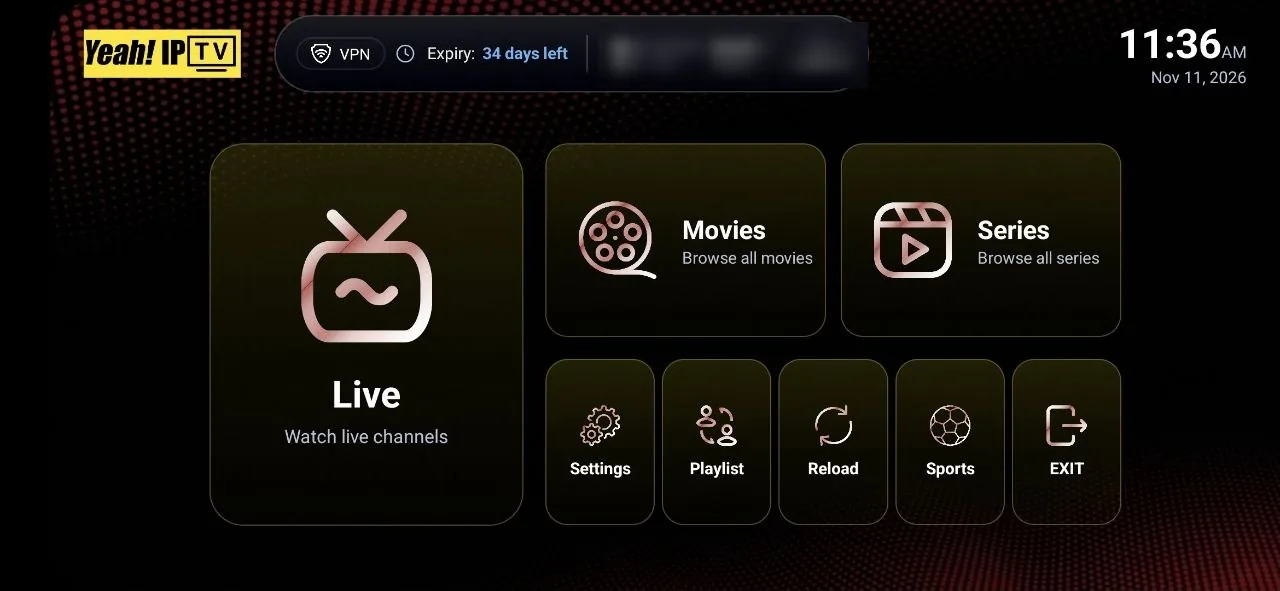
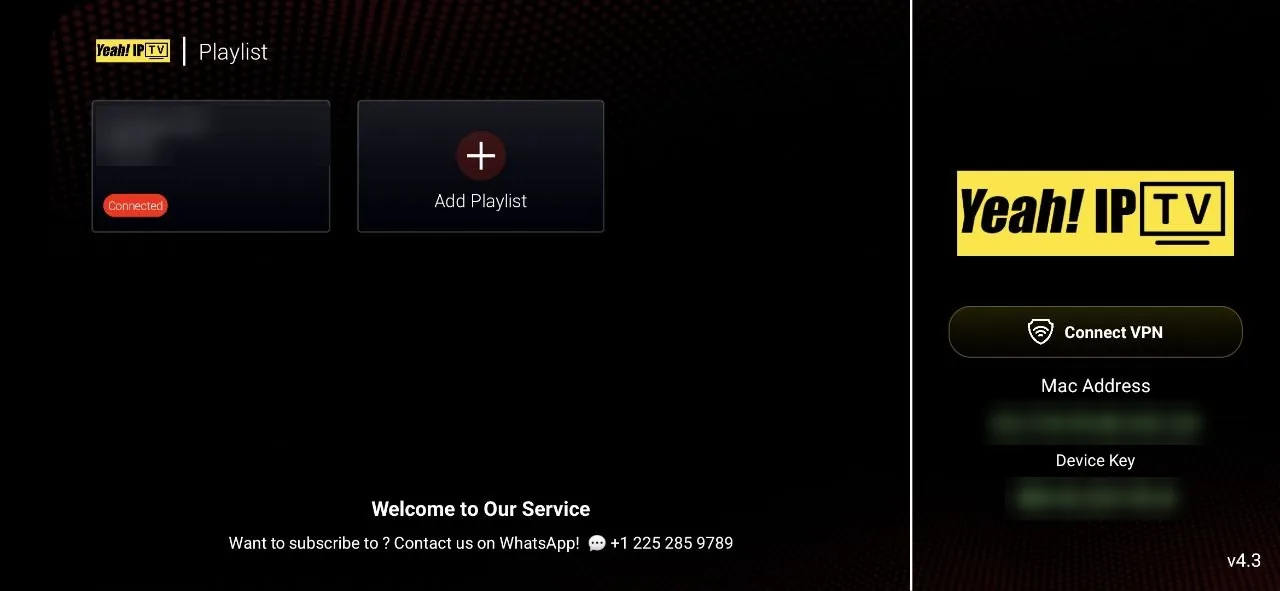
Yeah IPTV has its own branded player app with a simple TV-style layout. Install it on Fire TV or Android TV with Downloader code 3264733, shown in the download section below.
Channels
Yeah IPTV includes 20,000 live TV channels, organized by category so you can move quickly between US television, international programming, sports, movies, news and more.
American broadcast and cable-style programming for viewers who want a familiar TV lineup.
Programming from outside the United States for viewers who follow home-country TV or watch in other languages.
Sports-focused live channels. Coverage of a given league or event depends on the current lineup, so check first.
Movie channels that run on a schedule, separate from the on-demand library.
Rolling news and current-affairs programming for keeping up through the day.
General entertainment, including reality, talk, lifestyle and scripted shows.
Factual programming on history, science, nature and more.
Programming intended for younger viewers and shared family time.
Television shows grouped for viewers who prefer to follow a series.
On Demand
Yeah IPTV includes 40,000 movies and TV shows on demand. Pick a genre to explore the kind of viewing waiting in the on-demand section of your player.










Devices
Yeah IPTV works on Android, iOS, PC and Smart TV. Watch in the Yeah IPTV app or in a compatible third-party IPTV player, which is made and supported by its own developer.
A popular way to add streaming to any TV with an HDMI port. Install a compatible player, then enter your account details.
TVs and boxes running Android TV or Google TV can use players from the built-in app store.
Watch on the move, or set a tablet up as a second screen in the kitchen or bedroom.
iPhone, iPad and Apple TV can run IPTV players available in the App Store in your region.
Many Smart TVs can run a player from the TV's own app store. Choices vary by brand, model and year.
Desktop players, or general media players that can open a playlist, turn a laptop or PC into a screen.
macOS media players that accept a playlist URL work well for viewing at a desk.
MAG boxes use a portal address linked to the box's MAC address. Contact us to confirm support before ordering for one.
Confirm before ordering
Supported Apps
Enjoy Yeah IPTV on your preferred compatible IPTV player.

IBO Player Pro
TiviMate

Hot Player

Purple Player

Lxtream Player
Yeah IPTV subscriptions can be used with compatible IPTV player applications. App availability, device support, and activation requirements may vary.
Yeah IPTV App
Get the Yeah IPTV app on Fire TV, Firestick and Android TV with the Downloader app. Enter the code below in Downloader to open the Yeah IPTV app download.
Downloader code
3264733
Short URL
aftv.news/3264733Downloader is a free third-party app by AFTVnews. The short URL opens the Yeah IPTV app download page.
Get Started
Three steps take you from choosing a plan to watching on your TV.
Pick a plan length and the number of connections, then tap Buy on WhatsApp to message our support team.
Once support confirms your order, you receive your login details and instructions for your device.
Add a third-party IPTV player to your device, enter your details and open the guide.
Viewing Experience
Your experience comes from the service, your internet connection and the player you pick. Here is what to expect from each part.
Support
Message the Yeah IPTV support team at any hour about plans, orders, activation or setting up your device.
Buy With Confidence
A good IPTV subscription starts with clear expectations. These are the checks we suggest to every new customer.
01
Message support on WhatsApp and test the service on your own TV and internet before you pay.
02
Lineups change. Tell support which channels or events matter and get an answer before you order.
03
Choose 1 to 5 connections based on how many screens watch at the same time.
04
IPTV players come from independent developers, and we say so when something is outside our control.
FAQ
Short answers to the questions new customers ask most.
Yeah IPTV is an IPTV subscription for viewers in the United States and Canada. It includes 20,000 live TV channels, 40,000 VOD titles and TV shows, channels in 4K, UHD, FHD and HD, a real-time TV guide (EPG) and 24/7 support.
You choose a plan, message our support team on WhatsApp or Telegram to order, and receive your account details with setup instructions. You then enter those details in a compatible IPTV player on your device. See the installation guide for each step.
Yeah IPTV works on Android devices, including Amazon Fire TV and Android TV, on iOS devices, on PCs and on Smart TVs, using a compatible IPTV player. The devices page covers each one.
Yes. Channels come in 4K, UHD, FHD and HD. To watch in 4K you need a 4K-capable device and TV, a player that supports it, and a fast, stable internet connection.
Yes. Use the Free Trial on WhatsApp button on the free trial page, which opens a chat with our support team. Support sets up your trial and tells you how long it lasts.
After support confirms your order on WhatsApp or Telegram, you receive your account login details and setup instructions for your device.
You can use the Yeah IPTV app or a compatible third-party IPTV player such as IPTV Smarters Pro, IBO Player Pro, TiviMate, Hot Player, Purple Player or Lxtream Player. Third-party players are made by their own developers, and availability varies by device. Tell support which device you have and they can suggest the best option.
Every plan comes with 1, 2, 3, 4 or 5 connections. A connection is one screen streaming at a time, so choose as many as the screens your household uses at once.
Pick a length (1, 3, 6 or 12 months) and the number of screens that will watch at once. Prices range from $15 USD for 1 month with 1 connection to $195 USD for 12 months with 5 connections. The pricing page compares all 20 plans.
Support is available 24/7 on WhatsApp at +1 225-285-9789 and on Telegram at @Xtreamtech. You can also use the contact page.
Customer Reviews
We publish reviews from real Yeah IPTV customers only, with their permission.
Tell us about your IPTV Smart TV setup, the channels and VOD you watch, or your experience with IPTV customer support, and let us know if we may share it here.

Compare plans for 1 to 5 connections, or message us on WhatsApp to start a free trial.