
IPTV Smarters Pro: Setup, Login Types and Common Fixes
By Yeah IPTV Updated 4 min read
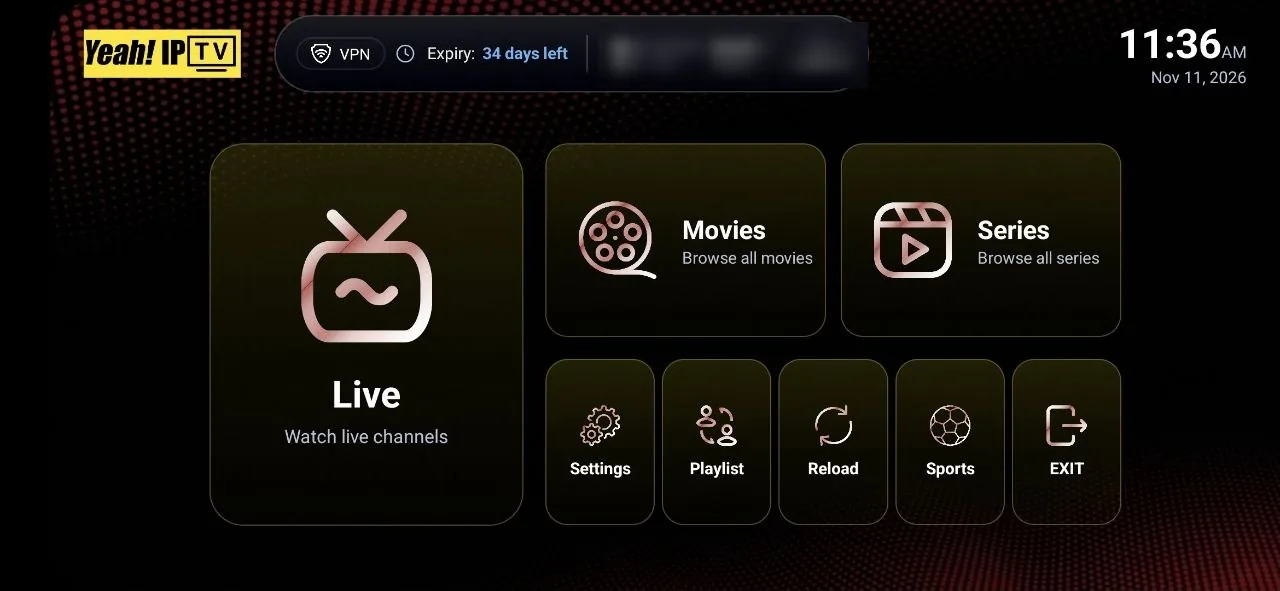
Short answer: IPTV Smarters Pro is a third-party IPTV player, not an IPTV service. You add your provider's details, choosing "Login with Xtream Codes API" if you have a server address, username and password, or the playlist option if you have an M3U URL, and the app loads live TV, movies, series and the TV guide.
IPTV Smarters Pro (often searched as "IPTV Smarters", "Smarters IPTV Pro" or "IPTV Smarter Pro") is one of the most recognised IPTV player names. Its layout, with separate tiles for Live TV, Movies and Series, is familiar to many viewers. This guide covers setup and the problems people most often hit.
What IPTV Smarters Pro Is, and Is Not
- It is a player. It plays content from the IPTV subscription you add.
- It is not a provider. It does not include channels on its own.
- It is made by an independent developer. Neither Yeah IPTV nor most IPTV services own it.
The developer has released several apps under the Smarters name over time, and store listings have changed. Always install from your device's official store or the developer's official website, and avoid copies from unknown sources.
Which Login Type Should You Choose?
| You received | Choose in the app | Notes |
|---|---|---|
| Server URL, username and password | Login with Xtream Codes API | Usually loads the guide and VOD automatically |
| One long M3U link | Load your playlist or file URL | May need a separate EPG address for the guide |
| A portal address for MAG | Not supported in this app | Use a portal-compatible player or box |
The Xtream Codes option is the most common and usually the most complete.
How to Set Up IPTV Smarters Pro
- Install the app from your device's official store or the developer's official site.
- Open it and accept the terms.
- Choose your login type, usually "Login with Xtream Codes API".
- Enter any name for the profile, for example your provider's name.
- Enter the username, password and server URL exactly as sent, including http:// or https:// and any port number.
- Select Add User. The app downloads channels, movies and series.
- Open Live TV and choose the TV guide view, then let the EPG load.
On Fire TV, the on-screen keyboard is slow for long server addresses. Our Firestick setup guide has tips for entering details accurately.
Using IPTV Smarters Pro Day to Day
Live TV and the guide
Open Live TV for channel groups, or the TV guide view for a grid. If the guide is empty, use the option to refresh or download the EPG.
Movies and series
The Movies and Series sections show your provider's on-demand library, usually with posters and descriptions.
Favourites
Add channels you watch often to favourites to avoid scrolling through long lists.
Multi-screen
Some versions offer a multi-screen view. Each tile is a separate stream and counts against your plan's connections.
Player settings
If playback stutters, try switching the player type in settings, or enable hardware decoding where the option exists.
Fixing Common IPTV Smarters Pro Problems
| Problem | Likely cause | Fix |
|---|---|---|
| Invalid login | Typo in the server URL, username or password | Re-enter details; include http:// and the port |
| Channels load, guide empty | EPG not downloaded yet | Refresh the EPG and wait a few minutes |
| Buffering | Weak Wi-Fi or a busy connection | Use Ethernet, close other streams, restart the router |
| Max connections reached | Another device is still streaming | Stop playback elsewhere, wait a minute, retry |
| No VOD | Playlist login without VOD, or the provider has none | Use the Xtream Codes login if available |
| App crashes | Outdated app or low device memory | Update the app, clear its cache, restart the device |
IPTV Smarters Pro vs Other Players
| IPTV Smarters Pro | TiviMate | Yeah IPTV app | |
|---|---|---|---|
| Style | Tile menu with Live, Movies, Series | TV-style guide | Tile menu with Live, Movies, Series, Sports |
| Platforms | Several; varies by store | Android TV, Google TV, Fire TV | Fire TV and Android TV via Downloader |
| Best for | Familiar, all-in-one layout | Live TV with a strong guide | Yeah IPTV subscribers who want a dedicated app |
Our TiviMate guide and IPTV apps and players overview compare more options.
Using IPTV Smarters Pro With Yeah IPTV
IPTV Smarters Pro is one of the compatible apps for Yeah IPTV. After you order or start a free trial, support sends your account details and can tell you which login option to choose. If you prefer a dedicated app on Fire TV or Android TV, the Yeah IPTV app installs with the Downloader app using code 3264733.
Frequently Asked Questions
Is IPTV Smarters Pro free?
The app has been offered free on some platforms, with features and availability varying by version and store. You still need an IPTV subscription for content.
Does IPTV Smarters Pro come with channels?
No. It only plays the subscription you add.
Why does IPTV Smarters say my login is invalid?
Usually because of a small typo in the server URL, username or password, or a missing http:// or port. Re-enter the details exactly as sent.
Can I use IPTV Smarters Pro on several devices?
Yes, but only as many can stream at once as your plan has connections.
What is the difference between IPTV Smarters and IPTV Smarters Pro?
They are names used for the developer's player apps over time. Install the current version from an official source for your device.
The Bottom Line
IPTV Smarters Pro is a capable, familiar IPTV player. Choose the Xtream Codes login when you can, enter details carefully, refresh the guide after the first load, and use a wired connection for the smoothest playback.
Need details to log in? Compare Yeah IPTV plans or request a free trial.