
IPTV Apps and Players: Choosing the Right IPTV Player
By Yeah IPTV Updated 4 min read
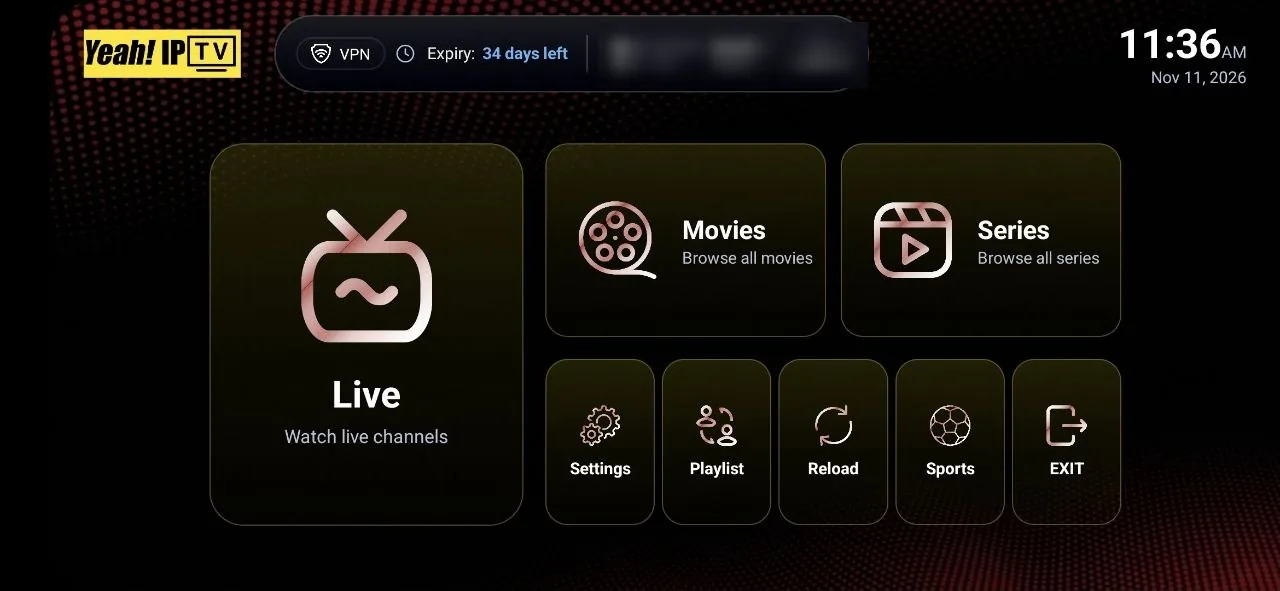
Short answer: an IPTV player is the app that signs in to your IPTV service and plays the streams. Choose one that runs on your device, accepts your login format (username and password, playlist URL, or portal), shows a good program guide, and is downloaded from an official store or the developer's own site.
Two people with the same IPTV subscription can have very different experiences depending on the player they use. The player decides how the guide looks, how fast channels switch and whether you get features such as favourites, catch-up and recording.
What an IPTV Player Does
- Signs in with your account details.
- Loads the channel list and on-demand library.
- Loads the electronic program guide (EPG).
- Decodes and plays the video.
- Adds features such as search, favourites, parental controls and catch-up.
Players do not provide content. They play what your subscription gives you.
Login Formats Players Accept
| Format | What you enter | Common in |
|---|---|---|
| Username and password (Xtream Codes style) | Server address, username, password | Most mobile and Android TV players |
| M3U playlist URL | One playlist web address, plus an optional EPG address | Smart TV apps, desktop players |
| Portal and MAC | Portal address registered to a device's MAC address | MAG boxes and apps that emulate them |
Check which format your provider sends before choosing a player.
Popular IPTV Players by Device
| Player | Devices | Notes |
|---|---|---|
| TiviMate | Android TV, Google TV, Fire TV | TV-style guide; extra features with a paid premium upgrade. See our TiviMate guide. |
| IPTV Smarters Pro | Several platforms; availability varies by store | Familiar layout with live, movies and series sections. See our IPTV Smarters Pro guide. |
| IBO Player Pro | Smart TVs and other platforms | Often activated by device ID |
| Purple Player | Several platforms | Simple playlist player |
| VLC | Windows, Mac, Linux, mobile | Opens playlist URLs; basic guide support |
App store listings change over time, so confirm availability on your device before you subscribe. Some players charge for activation or premium features; that fee goes to the app's developer.
Features That Make a Player Worth Using
A fast, readable guide
A grid guide that loads quickly and matches what is playing makes live TV usable.
Favourites and groups
Being able to pin your regular channels saves scrolling through thousands.
Hardware decoding
Essential for smooth HD and 4K on many devices. Look for a setting to enable it.
Catch-up and recording
Useful if your service supports them; not every service or player does.
Multiple playlists
Helpful if you use more than one account or want separate profiles.
Parental controls
Lock categories or channels on shared TVs.
How to Install an IPTV Player Safely
- Use your device's official app store first.
- If a player is not listed, use only the developer's official website.
- Avoid modified or "cracked" versions of paid players; they can carry malware.
- Keep the app updated.
- Never share your login details publicly.
For Fire TV specifics, see our Firestick setup guide. For Samsung, LG and other TVs, see our Smart TV guide.
Choosing a Player in Three Questions
- Which device will you use most? Pick from players available on it.
- Which login format do you have? Filter out players that do not accept it.
- What matters most to you? Guide quality, simplicity, recording or price.
Players and Yeah IPTV
Yeah IPTV works with its own branded Yeah IPTV app and with compatible third-party players, including IPTV Smarters Pro, IBO Player Pro, TiviMate, Hot Player, Purple Player and Lxtream Player. On Fire TV and Android TV, you can install the Yeah IPTV app with the Downloader app using code 3264733. App availability, device support and activation requirements vary, so ask support if you are unsure which to use.
Frequently Asked Questions
What is the best IPTV player?
It depends on your device. TiviMate is a popular choice on Android TV and Fire TV; on other platforms, choose a well-maintained player that accepts your login format.
Are IPTV players free?
Some are free, some have paid premium features, and some charge a one-time activation fee. Check the developer's pricing.
Can I use one IPTV player for several providers?
Yes. Most players let you add more than one playlist or account.
Do IPTV players include channels?
No. Players only play what your IPTV subscription provides.
Why does my player show no guide?
The guide may need time to load, or a separate EPG address. Use the player's option to refresh the guide.
The Bottom Line
The right IPTV player makes a good subscription feel effortless. Match the player to your device and login format, install it from an official source, turn on hardware decoding, and set up favourites. Then test it during a trial.
See the supported IPTV apps for Yeah IPTV, or request a free trial.